
VIP member

Mobile device inspection APP
Introduction - Junjie An Inspection APP is an APP inspection management system developed based on mobile inspection, which achieves inspection purpose
Product details
Inspection App: JG-PATROL Functional Features
(1) Low data usage: using mobile data for uploading data, with a monthly data loss of ≤ 300M (excluding images)
(2) Simplicity: Scan the code to download and install, enter the installation serial number to use, no password required, serial number automatically binds to the phone
(3) Uniqueness: One serial number corresponds to one phone, and binding this serial number to other phones requires background unlocking and authorization.
(4) Flexibility: General function settings such as voice broadcast, volume setting, vibration setting, etc. can be selected by oneself
(5) Scheduling route setting: Inspection point setting, inspection route, inspection scheduling, etc. are all operated in the background and automatically issued.
(6) Inspection navigation function: After inspecting each inspection point, prompt the name of the next inspection point
(7) Voice broadcasting function: Voice broadcasting during inspection and project input process. Including successful scanning of codes, selection of inspection items, and whether the inspection was successful, etc
(8) Task query function: Real time query and update of inspection tasks, freely assigned without the need for computer communication and distribution, allowing inspection personnel to know the progress of inspections in real time, as well as information on non inspected points
(9) Automatic upload function: The uploaded and non uploaded records are organized clearly, and inspection data is automatically uploaded. For non uploaded data, it will be automatically uploaded when there is a network.
(10) Interface adjustment function: Support function selection, open different functions according to needs, and freely arrange and combine the icons on the interface. Avoid unnecessary after-sales and non functional inquiries
(11) Automatic upgrade: When the inspection app updates its version, it will remind users to upgrade for free and add new features.
(12) Project input function: Each inspection point can attach different project values, with 255 project values and 125 logical values for each project value; 80 logical value words; Different project values can be attached to the same inspection point on different lines
(13) Data entry function: Each item value can be added with a corresponding numerical value, rounded to 8 decimal places, and upper and lower limits can be set
(14) Convenient GPS collection: The GPS coordinates of the inspection point location can be scanned repeatedly at least 5 times through the inspection APP. By querying the coordinates, the latitude and longitude information of the geographic coordinates can be automatically added
(15) Mandatory GPS function: It can be set as mandatory GPS function for some or all inspection points. Without enabling the mobile GPS function, card reading and scanning are invalid, and the record will not be saved.
(16) GPS comparison function: After scanning the code, the GPS positioning is matched with the preset GPS coordinates. If the preset GPS coordinates cannot be matched, you can choose to save or not save the inspection record. After saving, the record is an abnormal record. By clicking on the background abnormal record on the map, you can compare the preset inspection point GPS coordinates with the actual inspection location GPS coordinates.
(17) GPS detection function: The inspection app can detect whether the GPS coordinates of the current location are normal
(18) APP screen off function: Even when the inspection APP is turned off, the APP keeps recording GPS data and automatically uploads the saved GPS location coordinate information after waking up the phone.
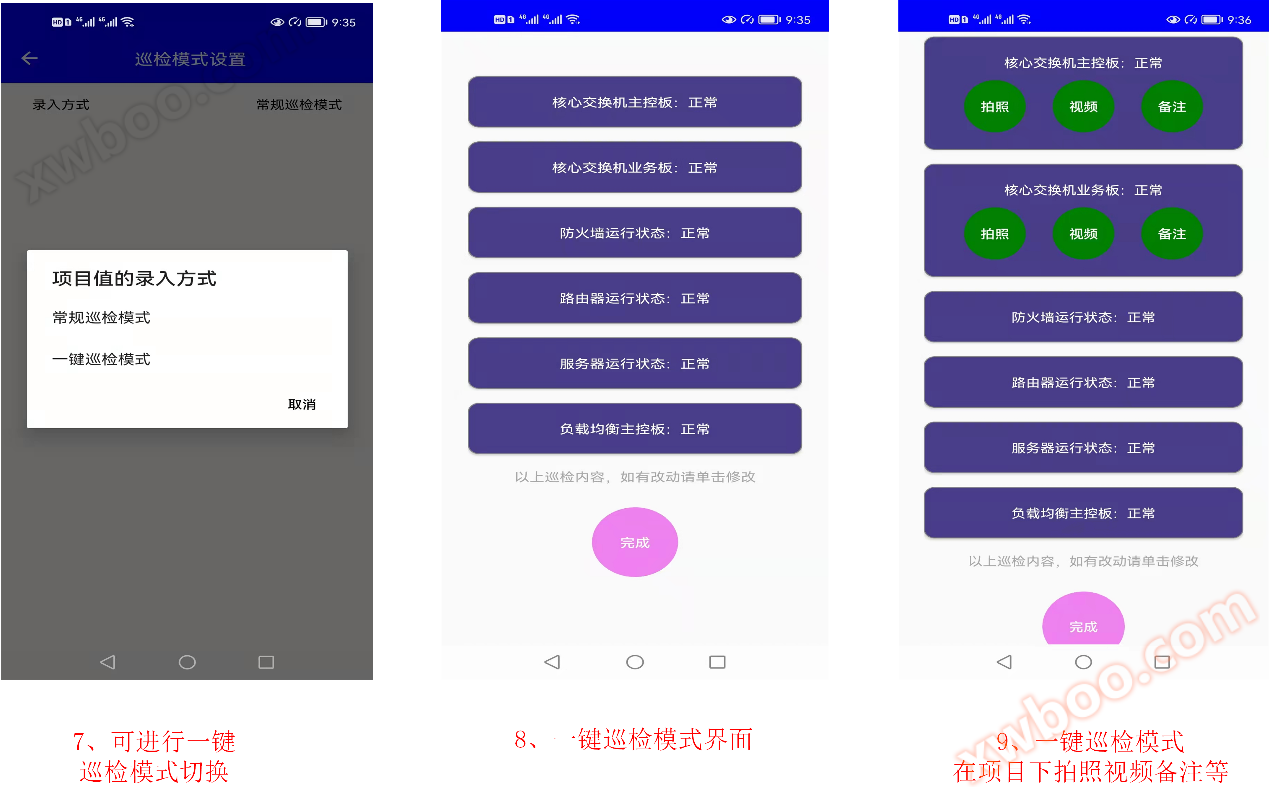
(19) Project photography function: After selecting the inspection project, you can take photos, videos, and upload notes of any abnormalities at the inspection point
The following legend:



Online inquiry
-
Contacts
-
Company
-
Telephone
-
Email
-
WeChat
-
Verification Code
-
Message Content
-